
A Home for Your Show
on a Domain You Own.
Built for hosts, guests and shows in and around the adult industry. The latest episode leads, listeners are sent to wherever your show plays, and the people on it get pages of their own. Safe for work on the front door, with everything else one click out.
Included with every Automate Horizon website plan.
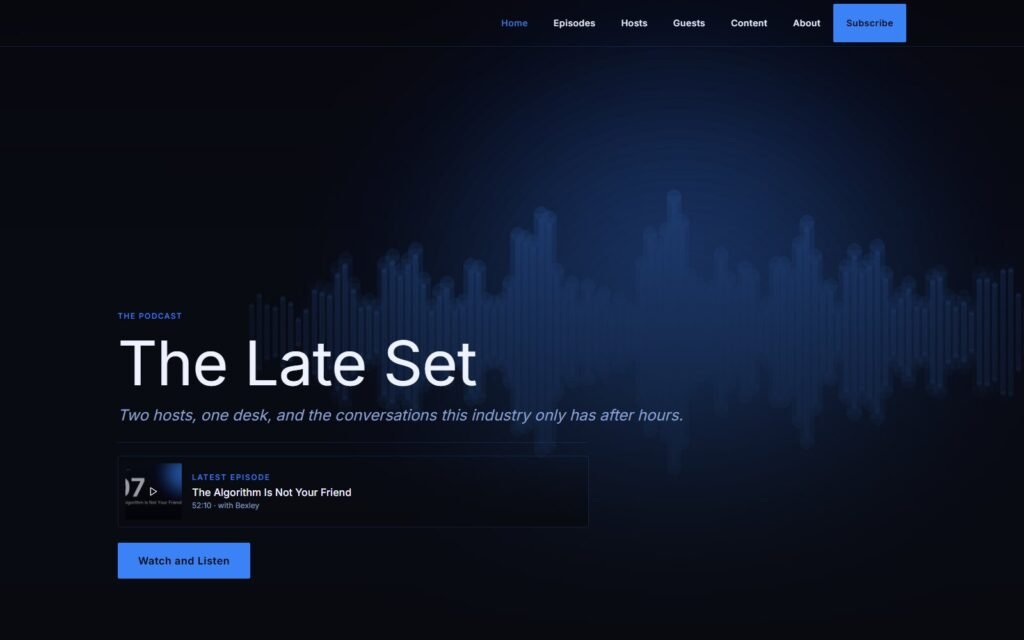 Template
See the Pages,
Not a Description of Them.
Captured from the podcast sample site, The Late Set, as it runs today. Open any frame for the full page.
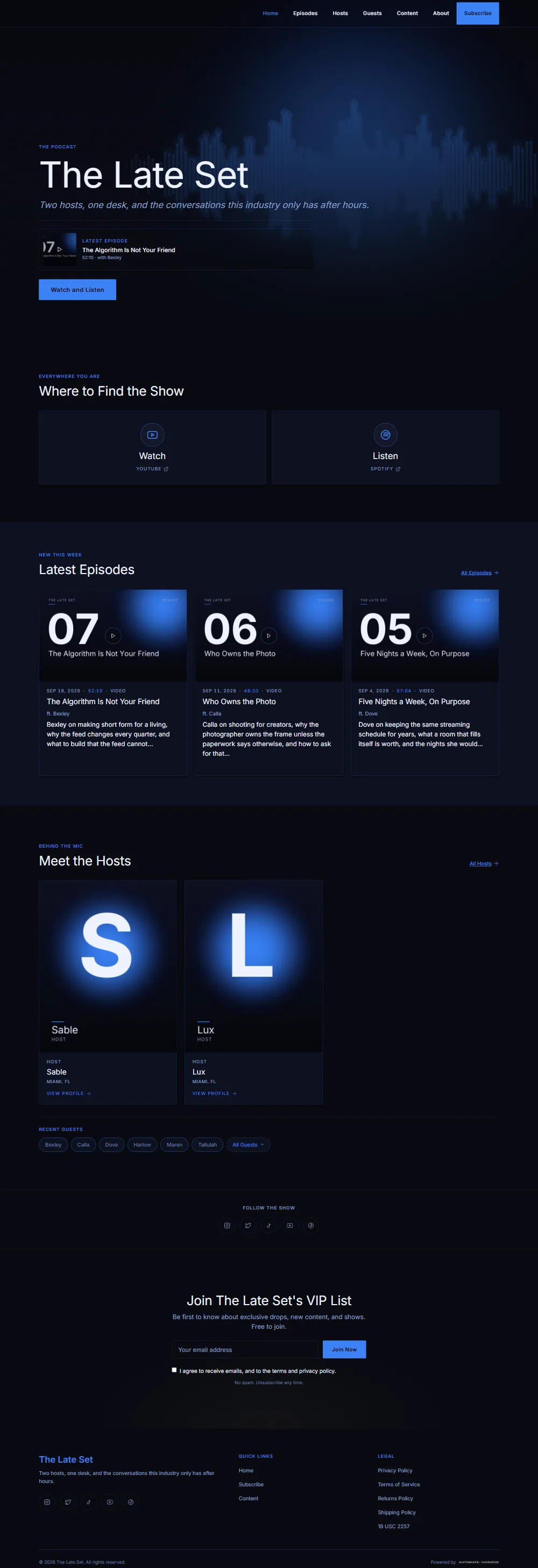

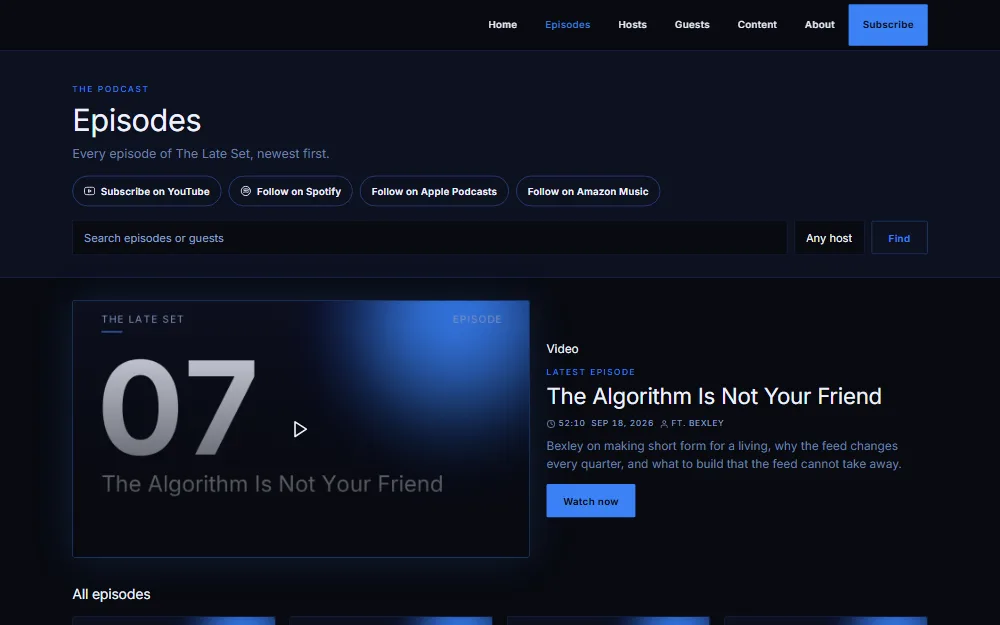
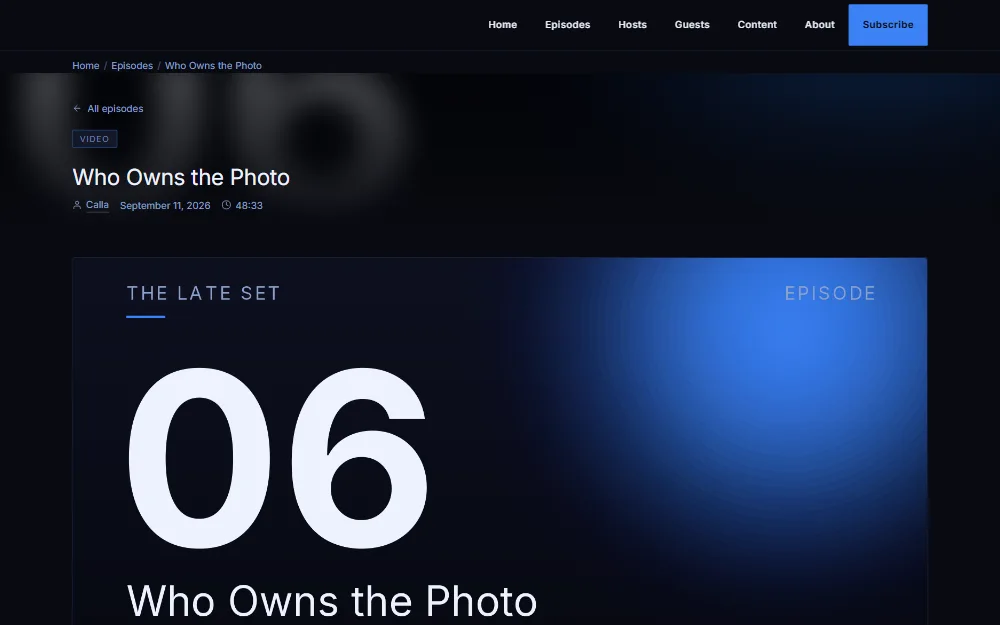
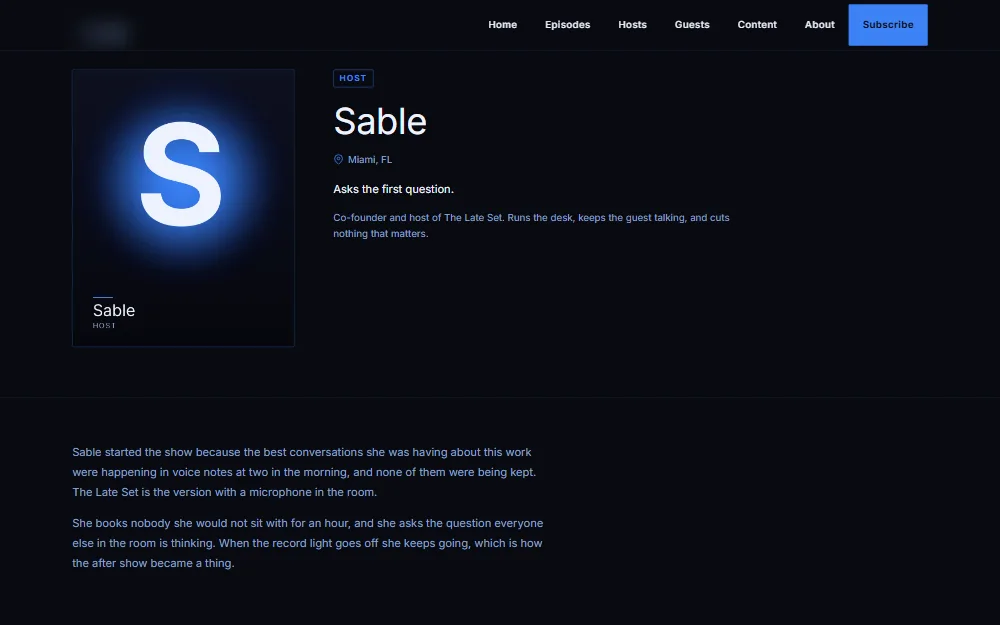
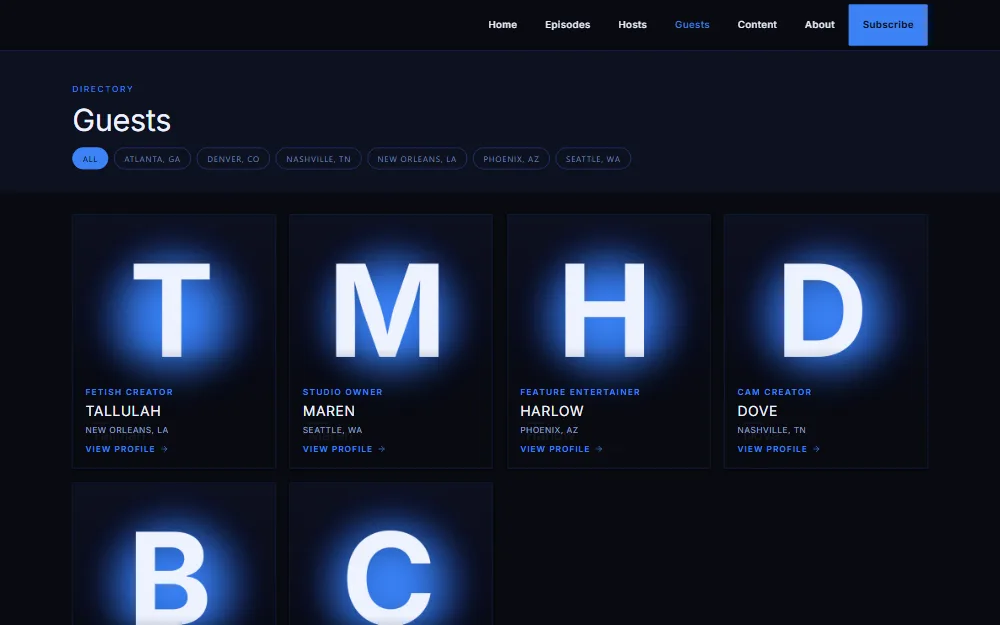
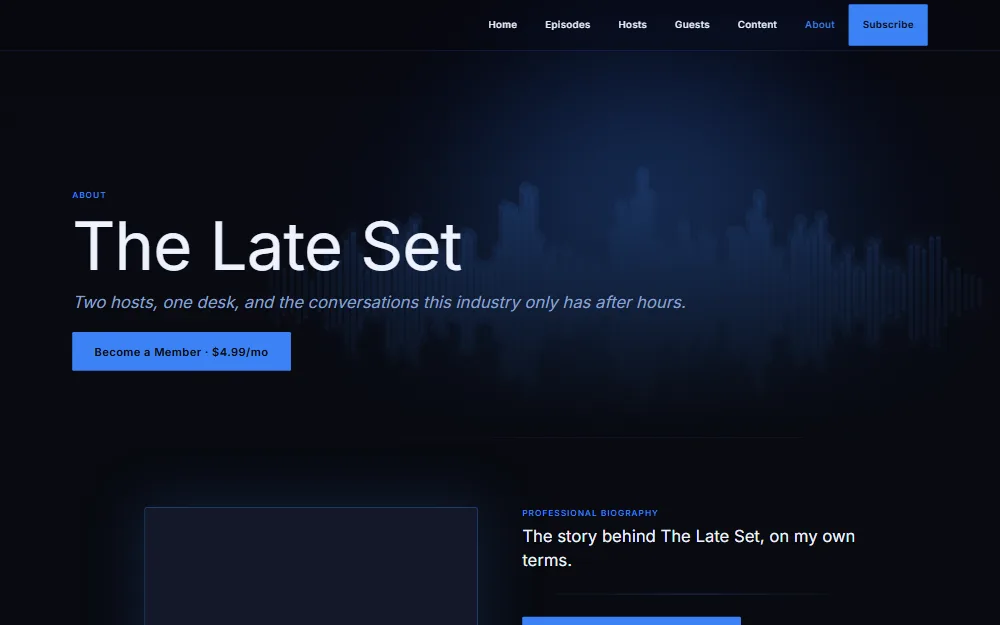
Every picture is the sample site as it runs today, captured from the live page, not a mock-up.
Built for the Shows
This Industry Makes.
The Podcast theme is for people whose show is the product and whose audience already lives on the platforms. It gives the show one address that is yours.
Two-Host Shows
A pair of hosts with a regular episode, a guest chair, and merch to sell between recordings if you want a store. The home page is built around that shape.
Interview Formats
Shows where the guests are the draw. Every guest gets a profile page with their links, so the episode keeps sending people to them and back to you.
Performer Rosters
A show or publication built around a roster of performers rather than two fixed hosts. Hosts and guests can be renamed to whatever your people are called.
Creators Who Also Podcast
You already have fans on the platforms. The site gives the show a front that stays safe for work and points those fans at the places you earn.
What the Site
Ships With.
Everything below is live on the Podcast theme today. If it is not on this list, it is not on the site yet.
The Latest Episode Leads
The home page opens on your newest episode, with a Watch and Listen button to your channel and, when you have a store, a Shop the Merch button to it. A button with no destination does not render.
Watch, Listen or Shop
Three tiles under the hero send a first-time visitor to YouTube, to Spotify or Apple Podcasts and, with a store, to your merch. The links come from your settings and any tile without a link stays off the page.
Episode Pages and an Archive
Every episode gets its own page with an embedded player for the recording where it is hosted, its guest, and more episodes below. The archive lists them newest first with the latest featured.
Hosts and Guests
Profile pages for everyone on the show, with a bio, a line about them, where they are based, tags and their Instagram, TikTok, X and website links. The words Hosts and Guests are yours to change.
Merch, Only If You Want It
The store is optional. On the Website plan the site runs without one and nothing on the page refers to a shop. Website + Merch adds a merch grid below the episodes, with the full store, cart and checkout. Print on demand fulfilment means no stock and no shipping runs.
A List You Own
Email signup sits last on the home page, after the page has given something. Sending is email through Broadcast inside Horizon Studio, included with every website plan.
Search-Ready Pages
Host and guest profiles carry Person and ProfilePage structured data, lists carry ItemList and breadcrumb data, and products carry Product data, so search engines read the site the way you mean it.
Safe for Work at the Front Door
A podcast site references no adult material, so the 18+ gate other Automate Horizon sites carry is off here by default. If your show needs it, it can be switched on for your site. Explicit content stays on the platforms you already use, one click out.
Run It From
Horizon Studio.
Horizon Studio is the one place you sign in to. What you see there is the page a visitor sees, section by section, with the words that are live now, so you edit the site rather than a form about the site.
Nothing here is a page builder. You add an episode, you add a guest, you change a line, and it is live on your domain.
See Horizon Studio →- Add and edit episodes. New episodes start as drafts until you publish them, and the recording link is checked before it goes live.
- Add hosts and guests, write their bios, add their links and put them in the order you want.
- Edit the words on every page, in the order visitors read them, and switch pages and menu items on or off.
- Send email to your list through Broadcast.
- Set the search title and description for each page.
The Pages
It Comes With.
Every page below is provisioned when your site is built. You switch off what you do not use.
- Home
- Latest episode, watch or listen or shop, recent episodes, the hosts and recent guests, your socials and the email signup, in that order. With Website + Merch, a merch grid sits between the guests and the socials.
- Episodes
- The archive of every episode with the newest featured, and a page for each one.
- Hosts
- The people who make the show, each with a profile page.
- Guests
- Everyone who has sat in the guest chair, each with a profile page and their links.
- About
- How the show started, what it makes, common questions, and how to come on the show.
- Contact
- One form with a choice of enquiry type, so a sponsor, a would-be guest and a listener all reach the right inbox.
- Updates
- A feed of short posts for the news between episodes.
- Shop
- Optional. Your merch store with cart and checkout, on the Website + Merch plan only. On the Website plan there is no shop page and no menu item for one.
- Legal
- Privacy, terms and cookie pages ready to go, plus the store policies when you sell merch.
Podcast Theme
Questions.
Do I need a merch store?
No. The Podcast theme runs on the Website plan with no store at all, and the page shows nothing that refers to one. Website + Merch adds the shop, cart and checkout, and the merch grid and Shop the Merch button appear with it. You can start on Website and add the store later.
Is this a theme I download and install?
No. Automate Horizon builds and hosts your site on it, on your own domain, and keeps it running. There is nothing to install and no page builder to learn. You sign in to Horizon Studio and edit your site.
Can I change the colours and fonts?
Yes. The Podcast theme decides how the pages work; a skin decides how they look. Every skin, colour, font and shape pack is included on both website plans, and you can change your skin without a rebuild.
Where do episodes actually play?
On your episode page, through an embedded player for the recording where you publish it, for example your YouTube channel. Automate Horizon does not host your audio or video files; the recording stays where it is and the site points at it. An episode with no recording link shows without a player. Listeners who want to follow are sent to Spotify, Apple Podcasts or YouTube.
Does my site need an 18+ gate?
On the Podcast theme it is off by default, because a podcast site itself references no adult material. If your show does, it can be switched on for your site. Platform policies and enforcement decisions are outside our control and may change at any time, which is exactly why the site keeps the show at an address you own.
Can I sell a members-only after show?
The site can send members to wherever you already sell that. If you want the paywall on your own domain, Horizon Vault is the add-on for it, by application, and it needs the Website + Merch plan and an approved high-risk CCBill account.
What does it cost, and what happens if I leave?
Plans and setup fees are on the pricing page; the Podcast theme is included with both. Your words, your pictures, your videos and your list are always yours, and you can take all of it with you at any time.
Give the Show
an Address You Own.
Pick a plan, or book a call and we will tell you whether the Podcast theme is the right fit before you pay for anything.
Automate Horizon provides infrastructure and system design. We do not guarantee income levels, platform outcomes, or third-party decisions.